My cousin runs a small business entirely out of Google Sheets and Gmail, and when she asked me whether she should switch from ChatGPT to Gemini, my honest answer was “it depends on how much you live inside Google’s apps already.” That’s really the heart of this comparison. Both tools are strong general-purpose AI assistants, but they’re built around different ecosystems, and that shapes which one feels more useful day to day.
Here’s a grounded look at the actual differences, without leaning on hype from either side.
Where They Come From
ChatGPT is OpenAI’s flagship assistant and the tool most people think of first when they hear “AI chatbot.” Gemini is Google’s answer, built to work closely with the tools many people already use Gmail, Docs, Sheets, Drive, and Google Search. Both are available as free web and mobile apps, with paid tiers that unlock more capability, and both are updated often enough that any given comparison is really a snapshot of a moving target.
The Practical Differences
Integration with everyday tools
This is probably the clearest differentiator. Gemini is built into Google’s ecosystem in a way ChatGPT simply isn’t drafting emails inside Gmail, summarizing a Doc without leaving it, working directly with files already sitting in Drive. If your work already happens inside Google Workspace, that native integration saves real, repeated effort. ChatGPT can still help with the same tasks, but usually involves more copying and pasting between apps.
Real-time information and search
Gemini tends to draw on Google Search more directly when answering questions about current events or recent information, since it’s built by the same company that runs the search engine. ChatGPT also has web browsing built in, and the practical gap between the two here has narrowed a lot over time but Google’s home-turf advantage on search-heavy questions still comes up often in user comparisons.

Writing and conversation quality
Both tools produce solid writing for everyday tasks emails, summaries, brainstorming. Some users find ChatGPT’s tone a bit more polished and consistent for creative or long-form writing, while others find Gemini perfectly adequate for the same tasks, especially when working directly inside a Google Doc. This is one of the more subjective differences and really comes down to personal preference more than a clear technical gap.
Handling images, documents, and mixed content
Both tools can process images, documents, and other file types, and both have gotten better at handling multiple types of content in a single request. Gemini’s tight integration with Google Drive can make this smoother if your files already live there, while ChatGPT’s file handling works well regardless of where your documents are stored.
Ecosystem and extras
ChatGPT has generally offered a broader set of built-in extras beyond plain chat image generation, voice conversations, and a wider range of third-party integrations and plugins. Gemini’s extras tend to be more tied to Google’s own product suite rather than a broad open ecosystem. Which matters more depends on whether you want a standalone AI tool or one that blends into software you’re already paying for.
Quick Comparison
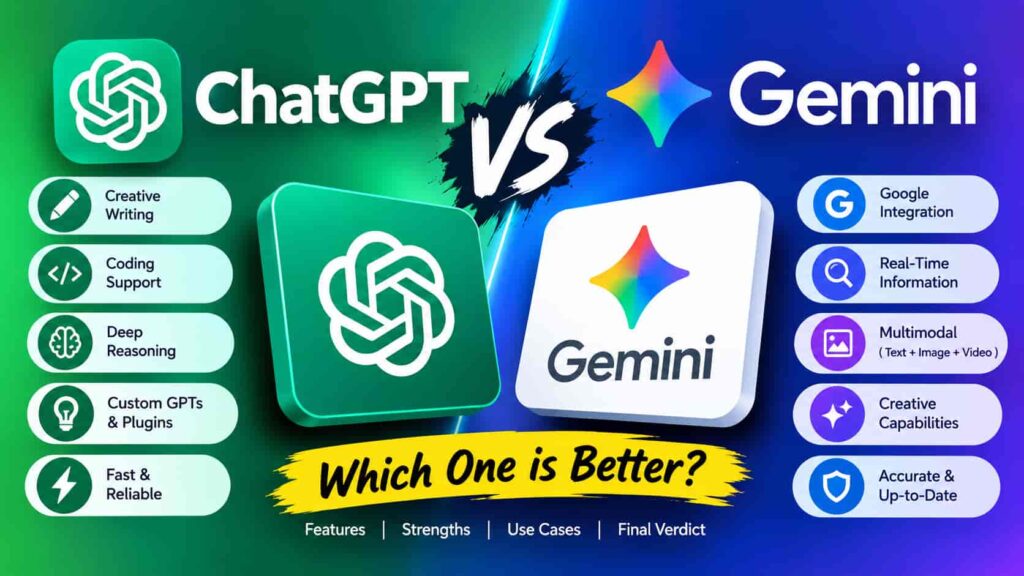
| Category | ChatGPT | Gemini |
|---|---|---|
| Best known for | Standalone AI assistant, broad ecosystem | Deep Google Workspace integration |
| Search & current info | Built-in web browsing | Tightly linked to Google Search |
| Writing style | Often described as more polished | Solid, works well inside Docs |
| File & image handling | Strong, works independently of storage | Smooth when files are already in Drive |
| Free tier | Yes, with usage limits | Yes, with usage limits |
| Paid plans | Standalone subscription tiers | Often bundled with Google One/Workspace |
Pricing, context limits, and specific features shift often enough on both sides that it’s worth double-checking each company’s current plans directly before deciding treat any comparison table, including this one, as a starting point rather than the final word.
So, Which Should You Choose?
If most of your day already runs through Gmail, Docs, Sheets, or Drive, Gemini’s native integration is likely to save you real time you’re not switching tabs or copy-pasting context back and forth. If you’d rather use a standalone AI tool that isn’t tied to a specific productivity suite, or you want access to a broader set of built-in extras like image generation and voice mode, ChatGPT tends to be the more flexible pick.
Plenty of people end up using both for different things Gemini for anything inside Google’s apps, ChatGPT for everything else. If you’re not sure yet, both offer usable free tiers, so testing each on your actual daily tasks will tell you more than a spec comparison ever could.
If you’re weighing more than these two options, it’s also worth reading up on how to choose the right AI assistant for your workflow before settling on a paid plan.
Frequently Asked Questions
Is Gemini better than ChatGPT for Google Workspace users? For people who already work heavily inside Gmail, Docs, Sheets, and Drive, Gemini’s native integration generally makes it the more convenient option, since it works directly inside those apps.
Does ChatGPT or Gemini have better writing quality? Opinions vary here, and it’s fairly subjective. Some people find ChatGPT’s tone more consistently polished for long-form writing, while others find Gemini perfectly capable, especially for quick edits inside a Doc.
Which is cheaper, ChatGPT or Gemini? Both offer free tiers and similarly priced paid plans, though Gemini’s paid tier is often bundled with additional Google storage and Workspace features. It’s worth comparing current pricing directly, since both change plans periodically.
Can Gemini access real-time information better than ChatGPT? Gemini’s tight connection to Google Search gives it an edge for some current-events questions, though ChatGPT’s web browsing has closed much of that gap over time.
Do I have to choose only one? Not necessarily. Many people use both Gemini for tasks tied to Google’s apps, ChatGPT as a more general-purpose assistant especially since both have usable free tiers.
Bottom Line
There’s no single correct answer between ChatGPT and Gemini the right choice depends heavily on whether your daily work already lives inside Google’s ecosystem or not. If it does, Gemini’s integration is hard to beat. If it doesn’t, ChatGPT’s standalone flexibility is probably the easier fit. Testing both on the tasks you actually do is a better guide than any comparison, including this one.