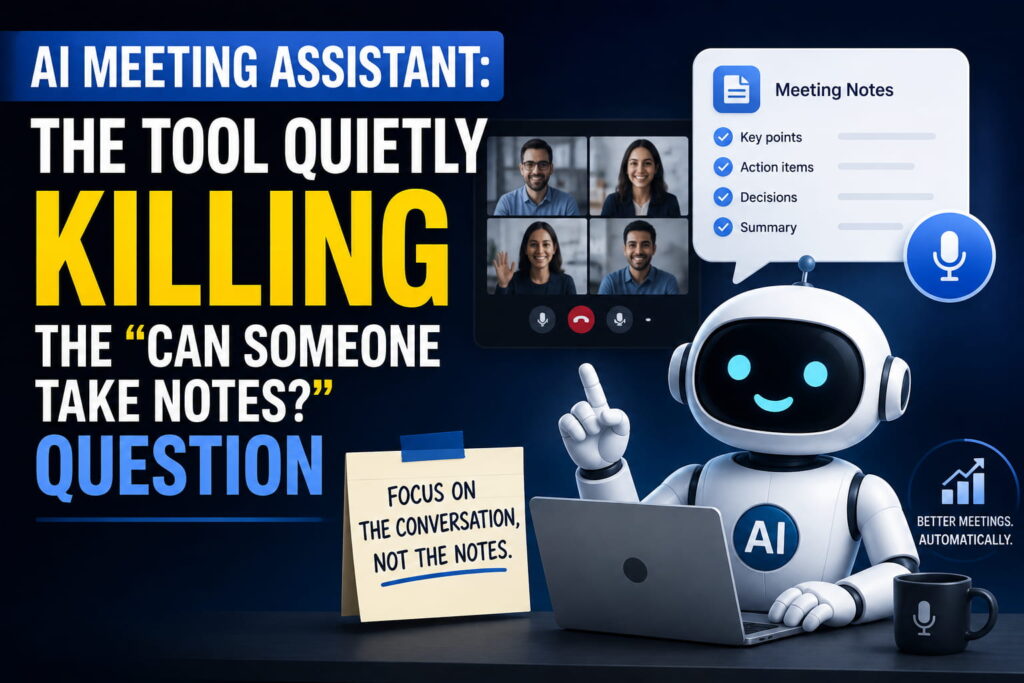
You know that moment right before a call starts, when someone asks “who’s taking notes this time?” and everyone suddenly gets very interested in their coffee. That awkward silence is basically why AI meeting assistants exist now. A few years back, note-taking during meetings was just something you accepted as part of the job. Now it’s turning into one of those tasks nobody really does by hand anymore, at least not on teams that have caught on.
So let’s actually look at what an AI meeting assistant is, how it works, and whether it’s worth adding to your calendar.
What Is an AI Meeting Assistant, in Plain Terms
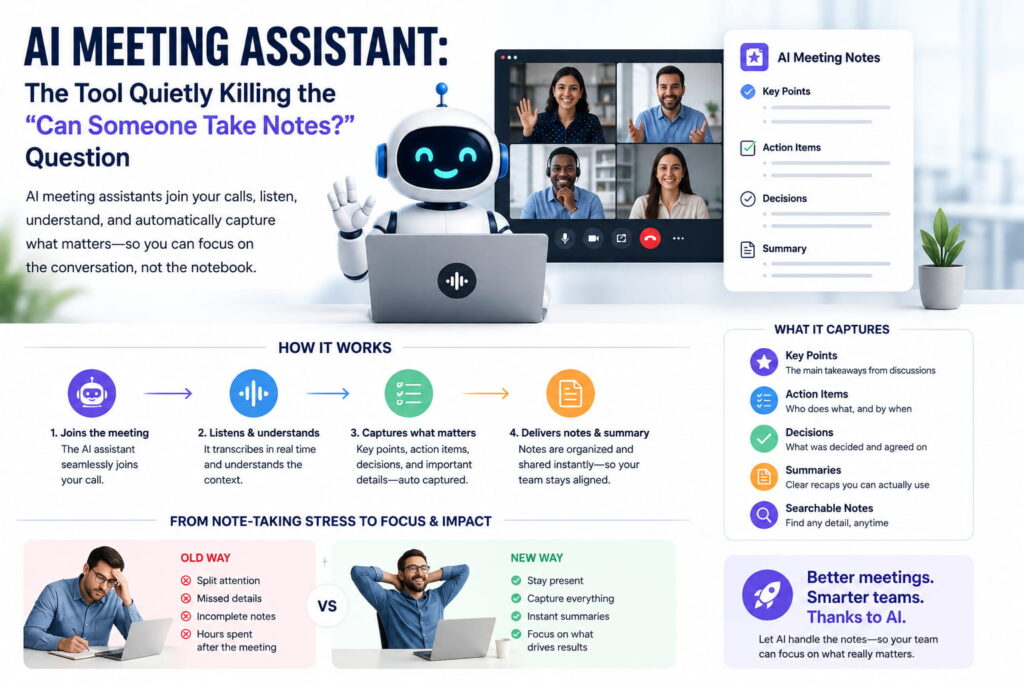
An AI meeting assistant is a tool that joins your call, listens to what’s said, and turns that conversation into something useful afterward a transcript, a summary, a list of decisions, and the action items people agreed to (even the ones they’ll conveniently forget by Thursday).
It’s not just a recorder. A recorder gives you an hour of audio you’ll probably never listen to again. An AI meeting assistant gives you a document you can skim in two minutes and actually search later when someone asks, “wait, didn’t we already decide this?”
How It Actually Works
Nothing too complicated is happening here, even though it can feel like magic the first time you use one.
The assistant joins the call, either as a bot that sits quietly in the participant list or through direct audio capture on your desktop, depending on the tool. From there, it converts the spoken conversation into text in real time using speech recognition. That raw transcript then gets handed to a language model, which is where the useful part happens it pulls out the key points, groups related discussion together, flags decisions that were made, and separates out anything that sounds like a task someone owns.
Some tools stop there. The better ones go a step further and connect that meeting summary to the rest of your workflow pushing action items straight into a project board, or making every past meeting searchable like your own private company archive, so you’re not digging through old calendar invites trying to remember which call something was discussed in.
The Core Pieces Behind Most Tools
Part What it handles
Audio capture Joins the call or records system audio directly
Speech-to-text engine Converts the spoken conversation into a raw transcript
Summarization model Turns that transcript into notes, decisions, and highlights
Action item extraction Picks out tasks and who’s responsible for them
Integrations Sends notes into tools like Slack, Notion, or your CRM
Search Lets you look across past meetings instead of just one
Why People Are Actually Adopting These (Not Just Trying Them Once)
It’s not really about saving fifteen minutes of typing after a call, even though that’s the obvious pitch. The bigger shift is what happens to information that used to just disappear. Decisions made in a meeting that never got written down anywhere, half-remembered commitments, that one important detail someone mentioned in passing all of that used to vanish the second the call ended unless somebody was diligent enough to write it up.
With an assistant handling it automatically, that information sticks around. You can search it. You can share it. New team members can catch up on a project by skimming three old meeting summaries instead of asking five different people to repeat themselves.
Where the Limits Actually Are
It’s worth being honest about this instead of pretending the tools are flawless. Transcripts can still stumble on heavy accents, technical jargon, or a noisy room with people talking over each other. Bots joining a call can also feel a little awkward in sensitive conversations, which is part of why some newer tools focus on invisible, bot-free audio capture instead of a visible participant in the meeting. And summaries, while generally solid, occasionally miss nuance sarcasm, tone, or the difference between someone floating an idea versus actually committing to it.
None of that makes these tools useless. It just means a human still needs to glance over the summary before treating it as gospel, especially for anything high-stakes.
Chatbot Note-Taking vs. a Real Meeting Assistant
Basic Transcription App Full AI Meeting Assistant
Records the call Yes Yes
Generates a summary Sometimes Yes, structured
Extracts action items Rarely Yes
Connects to other tools No Usually
Searchable across meetings No Yes
Who Actually Benefits Most
Sales teams use these constantly to review calls without frantically scribbling notes mid-pitch. Product and engineering teams lean on them so decisions from a planning call don’t get lost by the time the sprint starts. And honestly, anyone who sits in more than three meetings a day benefits just from not having to reconstruct what happened from memory later.
If you’re exploring this space for the first time, it’s worth first understanding the basics of how AI agents work, since a lot of meeting assistants are really just a specialized version of that same idea a system given a goal (capture and summarize the meeting) and a set of tools to get there.
The Bottom Line
An AI meeting assistant listens so you don’t have to split your attention between the conversation and your notes app. It captures the call, turns it into a real summary, pulls out what people are actually responsible for, and keeps all of it searchable long after the meeting ends. It’s not flawless, and it’s not a replacement for actually paying attention but for teams drowning in back-to-back calls, it’s turning into less of a nice-to-have and more of a default.
FAQs
What exactly does an AI meeting assistant do? It joins or records a meeting, transcribes what’s said, and turns that into a summary with key decisions and action items, so nobody has to take manual notes.
Is an AI meeting assistant the same as a regular call recorder? No. A recorder just captures audio. A meeting assistant processes that audio into a structured, searchable summary and often connects it to other tools your team already uses.
Do these tools work with Zoom, Google Meet, and Teams? Most modern AI meeting assistants support all three, either by joining as a bot or capturing system audio directly, though exact support varies by tool.
Is it safe or private to use an AI meeting assistant on sensitive calls? It depends on the tool. Some rely on cloud processing, while others offer local or bring-your-own-key processing for more privacy-sensitive use cases. It’s worth checking a tool’s data policy before using it on confidential meetings.
Can an AI meeting assistant replace taking my own notes entirely? For most day-to-day meetings, yes. But for anything high-stakes or nuanced, it’s still smart to skim the summary yourself, since AI can occasionally miss context or tone.
Further reading:
tl;dv – Best AI Meeting Assistant Tools for 2026
Read.ai – 9 Best AI Meeting Assistants in 2026
TechTarget – AI Meeting Assistants to Consider