When ChatGPT first blew up, I made the mistake a lot of people made I asked it to “write me an SEO blog post” and published whatever came out. It ranked for about two weeks, then quietly dropped off the map. Turns out Google doesn’t reward content just because it’s AI-generated or AI-assisted; it rewards content that’s actually useful. The difference is in how you use the tool, not whether you use it.
So here’s how to use ChatGPT for SEO in a way that genuinely helps your rankings, instead of producing the same flat, forgettable content everyone else is pumping out right now.
Use It for Research, Not Final Copy
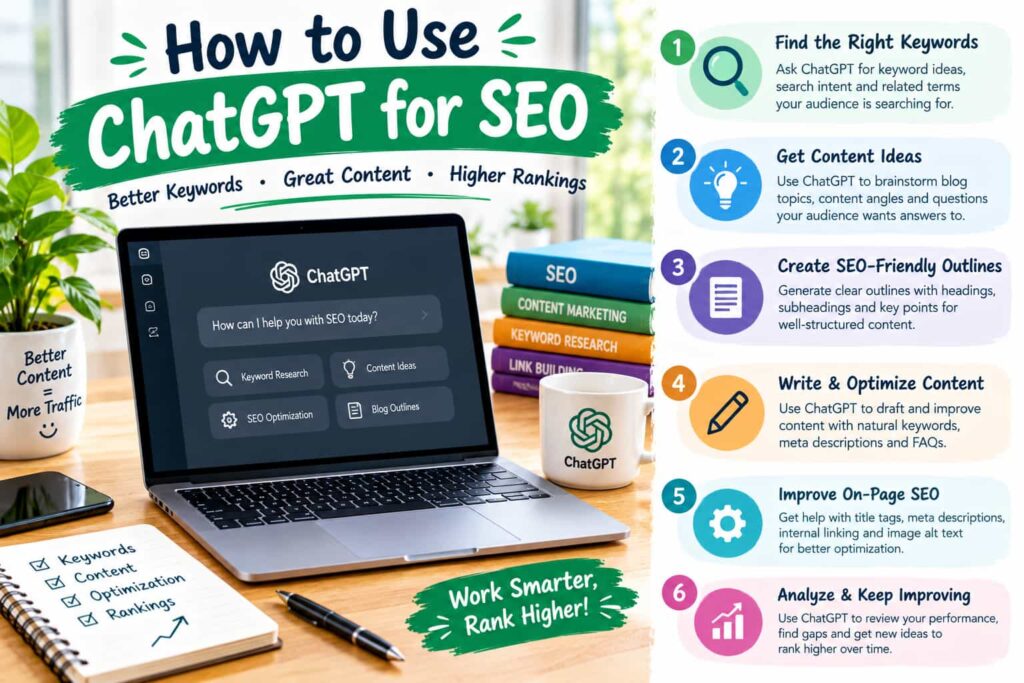
ChatGPT is genuinely good at speeding up the boring parts of SEO brainstorming, outlining, spotting content gaps. It’s much weaker at writing final, publish-ready copy on its own, mostly because it tends to default to generic phrasing and can get facts wrong with total confidence.
A better workflow looks like this: use it to gather ideas and structure, then write (or heavily rewrite) the actual content yourself, adding real examples, data, or opinions it couldn’t come up with on its own.
Keyword and Topic Research
ChatGPT won’t give you real search volume for that you still need a proper tool. But it’s genuinely useful for the thinking part of keyword research:
- Generating long-tail keyword variations around a seed keyword
- Grouping related keywords into content clusters
- Suggesting questions people might actually be asking (which double as FAQ material)
- Spotting angles competitors might have missed
I usually feed it a topic and ask for 20–30 related search queries, then run those through a real keyword tool afterward to check actual volume and difficulty.
Where ChatGPT Genuinely Saves Time
| Task | How ChatGPT Helps | Still Needs Human Input |
|---|---|---|
| Keyword clustering | Groups related terms fast | Verify with real search volume data |
| Content outlines | Suggests logical structure and headings | Adjust based on what’s actually ranking |
| Meta titles/descriptions | Generates several options quickly | Pick the one that matches search intent |
| FAQ generation | Surfaces common questions | Fact-check and add real answers |
| Competitor gap analysis | Summarizes what a page covers | Confirm accuracy, add unique insight |
| Schema markup | Writes basic JSON-LD structure | Validate before publishing |
Writing Content Briefs
This is where ChatGPT genuinely earns its keep. Instead of staring at a blank page, I’ll ask it to build a content brief: target keyword, related questions, suggested headings, competitor pages to reference, and rough word count. It turns a vague topic into something a writer can actually start on, which saves a good chunk of time without touching the quality of the final piece.
Meta Titles and Descriptions
Generating five or six meta title options in one go is one of the more underrated uses. You’re not looking for a final answer you’re looking for a starting point you can tweak to match search intent and stay within character limits. I usually ask for variations with different emotional angles (curiosity, urgency, benefit-driven) and pick or blend from there.
Don’t Skip Fact-Checking
This part matters more than people think. ChatGPT will state incorrect statistics, outdated information, or completely made-up sources with total confidence. If you’re using it for anything factual stats, case studies, technical claims verify it against a real source before publishing. Google’s helpful content guidelines specifically flag inaccurate or unverified information as a ranking risk, not just a trust issue.
Using It for Internal Linking Suggestions
Paste in a list of your existing blog titles and ask ChatGPT where internal links would make sense for a new piece. It’s not perfect, but it’s a decent starting point for spotting connections between older content you might’ve forgotten existed, especially on a site with hundreds of posts.
What Not to Do
- Don’t publish raw ChatGPT output without editing it reads as generic, and readers (and increasingly, Google) can tell.
- Don’t rely on it for real-time data like search volume, backlink counts, or current rankings.
- Don’t skip your own expertise. The pages that perform best usually have a personal angle, an example, or an opinion ChatGPT simply can’t generate on its own.
If you’re building out a broader content strategy, our post on content clusters and topical authority and our guide on writing meta descriptions that improve click-through rate pair well with this.
The Bottom Line
ChatGPT is a genuinely useful research and drafting assistant for SEO but it’s an assistant, not a replacement for strategy, fact-checking, or your own expertise. Used well, it saves hours on the repetitive parts of SEO work. Used carelessly, it just adds more generic content to an already crowded internet.
For official guidance on what actually affects rankings, Google’s Search Central documentation is the most reliable place to check your approach against.
Frequently Asked Questions (FAQs)
1. Can ChatGPT hurt my SEO rankings? Not directly, but publishing unedited, generic, or inaccurate AI content can hurt rankings indirectly, since Google’s guidelines prioritize helpful, accurate content over content source.
2. Does Google penalize AI-generated content? Google doesn’t penalize content simply for being AI-assisted. It penalizes low-quality, unhelpful content, regardless of whether a human or AI wrote it.
3. Can ChatGPT replace an SEO tool like Ahrefs or SEMrush? No. ChatGPT can’t access real-time search volume, backlink data, or ranking positions. It works best alongside a dedicated SEO tool, not instead of one.
4. What’s the best way to use ChatGPT for keyword research? Use it to brainstorm long-tail variations and group related keywords into clusters, then verify actual search volume using a real keyword research tool.
5. Is it safe to use ChatGPT for writing entire blog posts? It’s safer to use it for outlines, research, and first drafts, then edit heavily with real examples and fact-checking, rather than publishing raw output.