A friend of mine asked me last week, “So what’s the actual difference between ChatGPT and these AI agents everyone’s talking about?” And honestly, that’s a fair question, because on the surface they look pretty similar. Type something, get a response. But once you look under the hood, the two are doing very different jobs. One answers you. The other one actually goes and does the work.
That’s the whole point of this article figuring out what’s really happening when people say an AI agent “works” on something.
So What Even Is an AI Agent?
Forget the technical definitions for a second. An AI agent is basically software that’s been given a goal and the tools to chase it down on its own. You’re not micromanaging every step. You tell it what you want, and it figures out how to get there searching for information, using apps, checking its own work, and trying again if something goes wrong.
A regular chatbot might tell you “here’s how you’d book a flight.” An agent would actually search flights, compare a few options, glance at your calendar to make sure there’s no clash, and book the thing. That’s the shift everyone’s excited (or nervous) about.
The Loop That Makes It All Work
Here’s the part people usually get wrong they think there’s some big mysterious “AI brain” doing all this. There isn’t. It’s a fairly simple loop that just keeps repeating until the job is done.
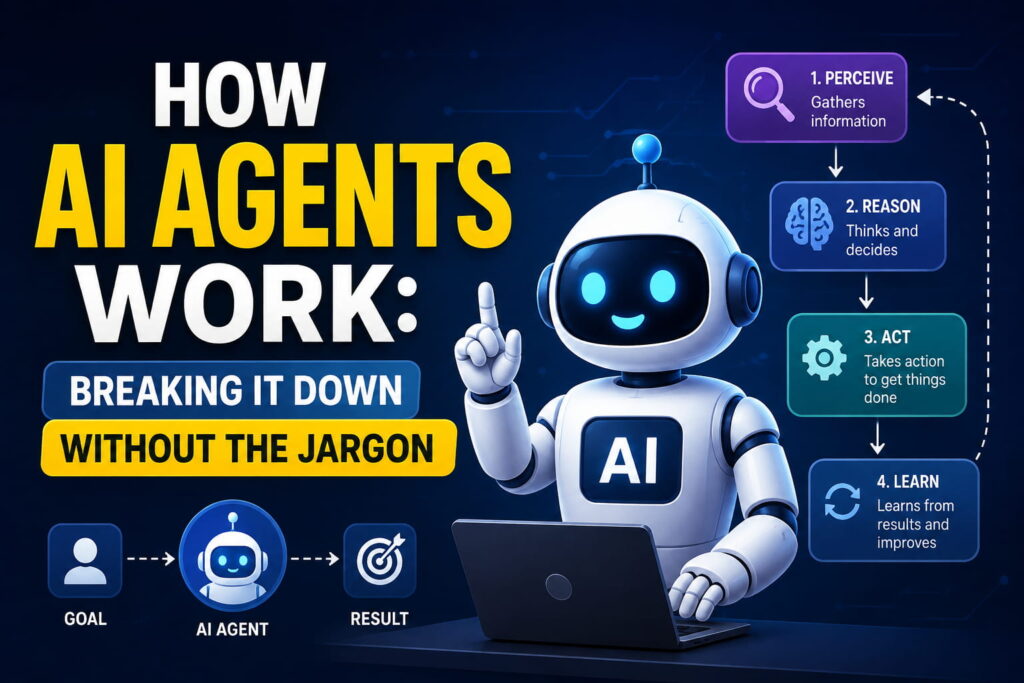
It goes roughly like this:
First, the agent has to actually understand what you want. Sounds obvious, but a huge chunk of failed automation over the years came down to unclear goals garbage in, garbage out, same rule applies here.
Once it knows the goal, it breaks it down. A big task like “plan my trip to Lahore” doesn’t get handled in one shot; it gets split into smaller pieces check dates, find flights, look at hotels, and so on.
Then it goes and collects whatever information it’s missing. Maybe that’s a web search, maybe it’s pulling data from a spreadsheet or an app.
After that, it decides what to actually do next based on what it found, and then it acts sends the email, books the ticket, writes the code, whatever the task calls for.
Last step, and this is the one that really separates agents from older automation tools: it checks whether that action actually worked. If it didn’t, it doesn’t just crash and give up it adjusts and tries a different approach.
That whole cycle think, act, check, repeat keeps running until the outcome matches what you originally asked for.
What’s Actually Powering This
If you crack one open, most AI agents are built from a few core pieces. Nothing too exotic, honestly:
Part What it’s doing
The reasoning model (LLM) Acts like the decision-maker reads the situation and figures out the next move
Memory Keeps track of what’s already happened so it isn’t repeating itself
Tools The actual hands web search, code execution, apps, databases
Planning Splits the big goal into smaller, doable steps
Feedback checking Reviews its own output and course-corrects when needed
That memory piece matters more than people realize. Without it, an agent would be like someone who writes a to-do list, finishes item one, and then forgets the list exists. Every step would start from zero.
Chatbot vs. Agent Not the Same Thing
People throw these terms around interchangeably, but they’re not really comparable once you line them up.
Chatbot AI Agent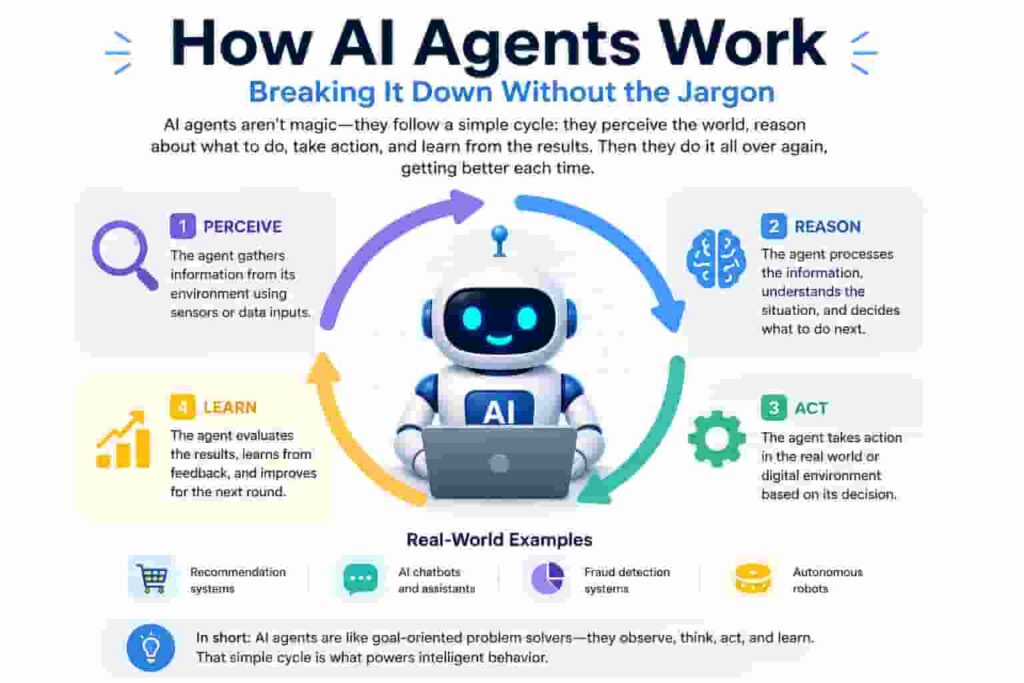
It’s not just theory. A few places you’ll already find agents doing real work:
What it does Replies to what you type Works toward a goal you set
Steps involved Usually just one response Several steps, back and forth
Uses outside tools Rarely Constantly
Remembers the task Barely, if at all Yes, tracks its own progress
Needs you at every step Pretty much Not really, just at checkpoints
Where This Actually Shows Up Right Now
Support teams using them to read a ticket, pull the customer’s order, and process a refund without a human touching it.
Developers letting an agent write code, run it, spot the bug, and fix it before anyone reviews a single line.
Researchers having an agent dig through several sources, compare what it finds, and hand back a summary instead of ten open browser tabs.
Teams using scheduling agents that actually check everyone’s calendar and land on a time that works, instead of the usual back-and-forth email thread.
Are They Fully On Their Own, Though?
Not really, and honestly, that’s by design. Most agents worth using still have limits baked in approval needed before anything risky happens, restrictions on what tools they can touch, clear boundaries on the goal itself. The point was never to remove people entirely. It’s more about clearing out the repetitive stuff so people can spend time on decisions that actually need a human brain behind them.
If you’re just getting into this space, it helps to first get comfortable with the basics of machine learning before going deeper into how agentic AI workflows are built on top of it.
Where This Leaves Us
At the end of the day, an AI agent is really just a loop understand, plan, act, check, repeat wrapped around a model that can reason and a set of tools it’s allowed to use. It’s less like a search bar and more like handing something off to an assistant who actually checks their own work before calling it done. Whether that sounds exciting or a little unsettling probably depends on how much you like delegating but either way, it’s where a lot of software is heading in 2026.
FAQs
What’s the simplest way to explain an AI agent? It’s software that takes a goal, figures out the steps on its own, uses tools to act on them, and keeps going until the task is actually finished not just a single reply.
Is an AI agent basically the same as ChatGPT? Not quite. A tool like ChatGPT mostly answers what you ask. An agent takes that further planning, using outside tools, taking real actions, and working through multiple steps without you guiding each one.
Do these things run completely without supervision? Usually not entirely. Most well-built agents still have checkpoints or approval steps for anything sensitive, so a person stays in the loop for the decisions that matter.
What kind of tools can an agent actually use? Depends on how it’s set up, but commonly: web search, databases, code execution, email, calendars, and other connected apps.
Is it safe for a business to hand tasks over to an AI agent? It can be, as long as there are proper limits and monitoring in place, especially for anything touching sensitive data. Like any automation, it’s worth testing on smaller tasks before trusting it with something critical.
Further reading:
Zendesk – What Are AI Agents?
Aisera – What Are AI Agents?
Turbotic – A Complete Guide to AI Agents for Businesse