Running a small business usually means being the CEO, the marketer, the customer support line, and occasionally the person unclogging the office printer, all before lunch. That’s not an exaggeration most small business owners would push back on. The workload doesn’t shrink as the business grows it multiplies, and there’s rarely budget for a bigger team to absorb it.
That’s exactly the gap AI tools have started to fill, and not in some abstract, futuristic way. It’s more like hiring a practical assistant for the repetitive parts of the day drafting emails, answering common customer questions, organizing tasks, cleaning up writing so the owner’s time goes toward the parts of the business that actually need a human judgment call.

Customer Communication and Support
For a lot of small businesses, this is where the most time gets lost juggling email, SMS, social DMs, and live chat across separate apps.
- Missive brings email, SMS, WhatsApp, and social messages into one shared inbox, so a small team isn’t forwarding messages back and forth
- Freshdesk AI-assisted support ticketing, useful once customer questions start outpacing what one person can answer manually
- Nextiva combines phone, video, and chat with an AI receptionist that can answer FAQs and handle scheduling without a human picking up every call
The common thread here is consolidation fewer tabs, fewer missed messages, less time spent just finding where a conversation left off.
Content Creation and Writing
Whether it’s product descriptions, social captions, or client proposals, writing is one of the most common places small businesses lean on AI.
- ChatGPT a flexible, general-purpose assistant for drafting, brainstorming, and quick research, without needing a marketing-specific tool
- Jasper built for higher-volume content production, useful once a business is spending real hours weekly on blog posts or marketing copy
- Grammarly goes beyond spellcheck, adjusting tone and clarity across emails, proposals, and customer messages, which matters a lot for consultants and service businesses where writing quality reflects directly on credibility
Design and Visual Content
- Canva AI lets small businesses produce professional-looking graphics, social posts, and marketing materials without hiring a designer, which is often the single biggest bottleneck for non-creative teams
- HeyGen AI video generation, useful for product demos or social content without needing a video production budget
Automation and Workflow
This is where AI often saves the most hours, even though it’s less visible than a chatbot or writing tool.
- Zapier connects different apps and automates repetitive steps (like moving a new form submission into a spreadsheet and triggering a follow-up email) using natural-language workflow building rather than manual setup
- Notion AI built into a workspace already used for notes, project tracking, and documentation, letting a business summarize pages, extract action items, or turn rough notes into polished documents
Accounting and Business Operations
- QuickBooks (Intuit Assist) an AI layer built into everyday bookkeeping, letting owners ask plain questions like “which customers have outstanding invoices” instead of digging through reports manually
- HubSpot combines CRM with AI features for tracking customer relationships and automating basic follow-ups, useful once a business outgrows spreadsheets for tracking leads
How to Actually Build an AI Stack (Without Overspending)
The instinct is often to grab five tools at once. That usually backfires and just adds more subscriptions to track. A more realistic approach:
- Start with the task eating the most time each week support, content, admin, whatever it is
- Pick two or three tools, not ten most small teams don’t need a sprawling stack
- Check that a tool actually reaches the data it needs CRM records, email, files or it’ll create more manual work, not less
- Keep a human review step for anything customer-facing, at least at first, until the tool has proven itself
- Review data handling policies, especially for tools touching customer information or financial records
Quick Reference: AI Tools by Business Need
| Need | Tools | Best For |
|---|---|---|
| Customer communication | Missive, Freshdesk, Nextiva | Unifying inboxes, faster support responses |
| Content & writing | ChatGPT, Jasper, Grammarly | Drafting content, improving tone and clarity |
| Design & video | Canva AI, HeyGen | Marketing visuals without a design team |
| Automation | Zapier, Notion AI | Connecting apps, reducing manual admin work |
| Accounting & CRM | QuickBooks (Intuit Assist), HubSpot | Financial insights, lead tracking |
Common Mistakes Small Businesses Make With AI Tools
- Buying tools before identifying the actual bottleneck they’re meant to solve
- Skipping the free tier or trial period, then committing to a plan that doesn’t fit the workflow
- Letting AI-generated content go out unreviewed, especially anything customer-facing
- Ignoring how well a tool integrates with what the business already uses, like QuickBooks or existing CRMs
If content creation specifically is eating your week, it’s worth pairing a writing tool with a clear process our guide on AI tools for marketing breaks that down by use case in more detail.
The Bottom Line
There’s no single “best” AI tool for a small business there’s a best fit for whatever is actually slowing the business down. A service business drowning in emails benefits more from a unified inbox tool than a content generator. A business spending ten hours a week on marketing copy needs the opposite. The smartest way in is picking the one or two tools that solve a real, repeated problem, using them consistently, and expanding the stack only once those are actually paying off.
For a broader, regularly updated comparison of AI tools across small business functions, Salesforce has a solid overview worth reading: Best AI Tools for Small Business Growth.
Frequently Asked Questions
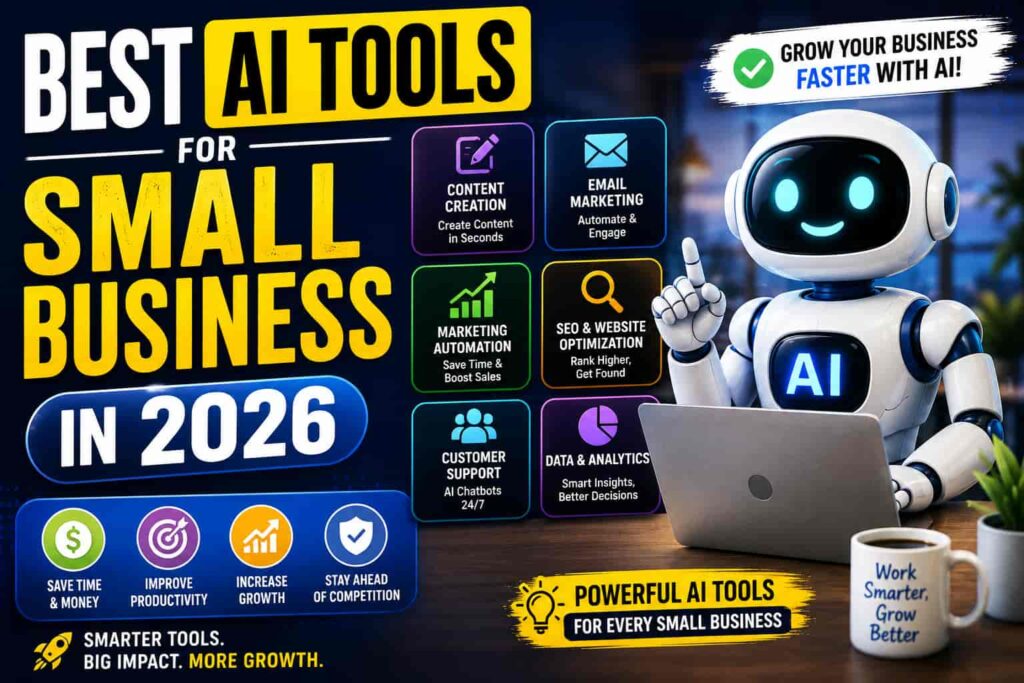
1. What are the best AI tools for small business in 2026? It depends on the need ChatGPT and Jasper for content, Missive or Freshdesk for customer communication, Canva AI for design, and QuickBooks or HubSpot for operations and CRM.
2. Are AI tools affordable for small businesses? Yes, most offer free tiers or low-cost plans to start, with pricing scaling up as a business needs more advanced features or higher usage limits.
3. Do I need technical skills to use AI tools in my business? No. Most tools built for small businesses, like Canva AI, Notion AI, and Zapier, are designed for no-code setup and require no programming background.
4. Can AI tools replace employees in a small business? Not typically. AI tools handle repetitive tasks like drafting, scheduling, and basic support, but strategic decisions and customer relationships still benefit from human judgment.
5. Which AI tool should a small business start with? Start with whatever task is consuming the most time each week a general assistant like ChatGPT is often the easiest first step since it requires no setup.