Best ChatGPT Prompts for Bloggers
I’ll be honest the first time I tried using ChatGPT for blogging, I typed “write me a blog post about productivity” and got back something so bland I couldn’t even finish reading it. It took me a while to figure out that the problem wasn’t the tool, it was how I was talking to it.
That’s really what this whole article is about. Not “AI will write your blog for you” (it won’t, not well anyway), but which prompts actually save time without making your content sound like everyone else’s. I’ve been using a version of this list for my own posts for a while now, and it’s still the one I come back to.
If you already have a content planning process you like, these prompts slot right into it they’re not meant to replace your workflow, just speed up the annoying parts.
Why bother with ChatGPT at all?
Look, blogging has gotten more demanding. Readers skim, they want answers fast, and Google keeps pushing everyone to publish more consistently just to stay visible. Meanwhile most of us still have a day job, a family, or twelve other tabs open.
ChatGPT doesn’t fix all of that. What it’s actually good at is the stuff that eats your time without needing your expertise staring at a blank doc trying to think of a headline, rewriting a clunky paragraph for the fifth time, coming up with FAQ questions when your brain is fried. That’s where it earns its keep.
The prompts I actually use
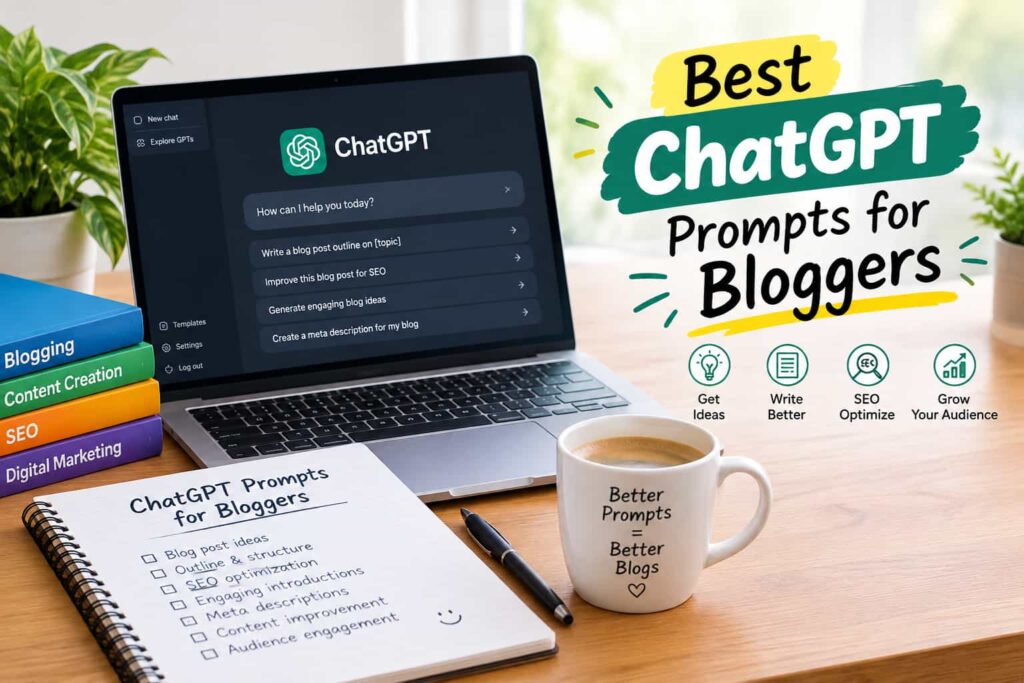
Here’s the list, organized by what stage of writing you’re stuck on.
| Stage | Prompt you can copy | What it’s for |
|---|---|---|
| Coming up with ideas | “Give me 10 blog topic ideas for [niche], aimed at people who are just starting out” | When you have no idea what to write next |
| Structuring the post | “Draft a blog outline for ‘[title]’ with H2s and H3s, keep it logical” | Stops you from rambling |
| Writing the intro | “Write an intro for a post about [topic], conversational tone, no clichés” | The part everyone hates writing |
| Titles that get clicks | “Give me 5 title options for a post about [keyword], not clickbaity” | On-page SEO |
| Meta descriptions | “Write a meta description under 155 characters for a post about [topic]” | The snippet people see in Google |
| Fixing awkward writing | “Rewrite this so it sounds more natural, less stiff: [paste your paragraph]” | Editing pass |
| FAQ section | “Write 5 FAQs with short, direct answers about [topic]” | Good for featured snippets |
| Wrapping up | “Give me 3 different closing lines that push readers to subscribe” | Ending on something other than ‘in conclusion’ |
You won’t need all eight every single time. Some posts I only use two or three of these for usually the outline one and the FAQ one, since those are where I stall the most.
Getting better results out of it
Vague prompts get you vague answers, pretty much every time. If you just type “write an intro,” you’ll get something generic that could apply to any blog on the internet. But if you tell it who you’re writing for, what tone you want, and roughly how long the section should be, the output actually starts sounding like it belongs on your site.
And honestly treat whatever it gives you as a rough draft, not a finished product. Throw in your own examples, your own opinions, things that happened to you personally. That’s not just good writing advice, it’s also what search engines are actively trying to reward now. Google has said outright that content made mainly to rank, without real value behind it, is exactly what their systems are built to catch and push down.
Mistakes I see (and made myself)
The biggest one? Copy-pasting straight from ChatGPT into the CMS and hitting publish. It reads fine at first glance, but it usually feels a little flat once you sit with it same sentence rhythm over and over, overly formal phrasing nobody actually talks like.
The other issue is trusting it on facts it just isn’t reliable on. It can get specific numbers or claims wrong without any obvious sign that it’s guessing. If a stat matters to your post, go check it somewhere solid OpenAI’s own site is a decent starting point if you’re writing about the tool itself, but for anything else, verify separately before it goes live.
A rough workflow, if it helps
This is more or less how I put a post together when I’m using ChatGPT as part of the process:
- Ask for a handful of topic ideas in my niche, pick the one that actually interests me.
- Get an outline going, then edit the structure until it makes sense.
- Write the intro and one section at a time never the whole thing in one shot, it gets messy.
- Do the title and meta description as a separate step at the end.
- Generate FAQ questions, then rewrite the answers in my own words.
- Go back through everything and edit for tone this step takes longer than people expect.
Doing it in pieces like this is slower than asking for a full article in one prompt, but the result actually sounds like something a person wrote, which is the whole point.
Bottom line
None of these prompts are magic. They just get you unstuck faster so you can spend your energy on the parts that actually need a human your take on the topic, your experience, the stuff AI can’t fake. Keep your own editing checklist handy and run everything through it before you hit publish. That last pass is usually what separates a post that sounds like you from one that sounds like a chatbot.
FAQs
1. Do I have to pay for these prompts? No, everything here works with ChatGPT’s free tier. You’ll get slightly better results with a paid plan, but it’s not required.
2. Does using ChatGPT prompts hurt my blog’s SEO? Not by itself. What hurts rankings is thin, unedited content not the fact that AI helped with a draft. Edit it properly and it’s fine.
3. Can beginners use these without any prompt-writing experience? Yeah, that’s really the point of having a list like this just copy the prompt, swap in your topic, and adjust from there.
4. How do I stop my posts from sounding like a robot wrote them? Add your own stories and opinions, vary your sentence length, and cut anything that sounds like it could’ve been written by literally anyone.
5. Should I tell readers I used ChatGPT while writing? There’s no rule that says you have to, but a lot of bloggers mention it briefly for transparency it tends to build more trust than it costs.