ChatGPT Prompt Engineering Guide
I used to think prompt engineering was one of those made-up job titles, honestly. Then I spent a weekend trying to get ChatGPT to help me plan a product launch, and every answer it gave me was so generic I could’ve written it myself in two minutes. Turns out the tool wasn’t the problem my prompts were.
This guide is basically everything I wish someone had told me before I wasted that weekend. Not the corporate “10 magic prompts” listicle version, but the actual thinking behind why some prompts work and others fall flat. If you’re already using AI for parts of your content workflow, this fits right alongside it.
So what is prompt engineering, really?
Strip away the fancy name and it’s just this: giving ChatGPT enough context and direction that it doesn’t have to guess what you want. That’s it. When people say someone is “good at prompting,” what they usually mean is that person is good at being specific.
Most bad answers from ChatGPT aren’t the model failing they’re the model doing exactly what a vague prompt asked for. Ask something vague, get something vague back. It’s almost boringly predictable once you notice the pattern.
The building blocks of a good prompt
There isn’t one secret formula, but the prompts that consistently work tend to include a few of the same ingredients. Here’s how I break it down when I’m writing one.
| Element | What it does | Example |
|---|---|---|
| Role | Tells ChatGPT what “hat” to wear | “Act as a senior copywriter reviewing this ad” |
| Task | The actual thing you want done | “Rewrite this paragraph to be more persuasive” |
| Context | Background it needs to not guess wrong | “This is for a fitness app targeting beginners” |
| Format | How you want the output structured | “Give it to me as a bullet list, under 100 words” |
| Constraints | What to avoid or limit | “No jargon, no exclamation marks” |
| Example | A sample so it knows the style you want | “Here’s a paragraph I liked, match this tone: [paste]” |
You don’t need to cram all six into every prompt. Honestly, most days I’m only using three or four. But when an answer keeps missing the mark, it’s usually because one of these is missing entirely.
A few techniques that actually move the needle
Chain-of-thought prompting. Instead of asking for a final answer straight away, ask it to think step by step first. Something like “walk through your reasoning before giving the final answer” tends to produce noticeably better logic, especially for anything involving numbers or comparisons.
Few-shot prompting. This just means showing examples before asking for the real task. If you want a specific tone, paste two or three samples of it first, then ask ChatGPT to continue in that style. It picks up patterns from examples far better than from a written description of the tone.
Iterative refinement. Nobody gets the perfect answer on the first try, and that’s fine. Treat the first response as a draft, then tell it exactly what to change “make this shorter,” “cut the corporate tone,” “add a real-world example.” Each round gets you closer.
Negative constraints. Telling it what not to do is underrated. “Don’t use the word ‘delve'” sounds silly, but it works, because it forces the model away from its default patterns.
Where most people go wrong
The biggest mistake I see and made myself for a while is treating ChatGPT like a search engine. Typing one short question and expecting a fully tailored answer just isn’t how it works. It’s more like briefing a smart intern who’s never met you before; the more you explain, the better the work.
The second mistake is accepting the first draft. People read one bland response and conclude “AI just isn’t that good,” when really they just never pushed back on it. A little back-and-forth usually gets you somewhere much better than the first shot. For a broader look at how the underlying model actually reasons through prompts, OpenAI’s own documentation is a solid technical read if you want to go deeper than this guide.
A simple structure you can steal
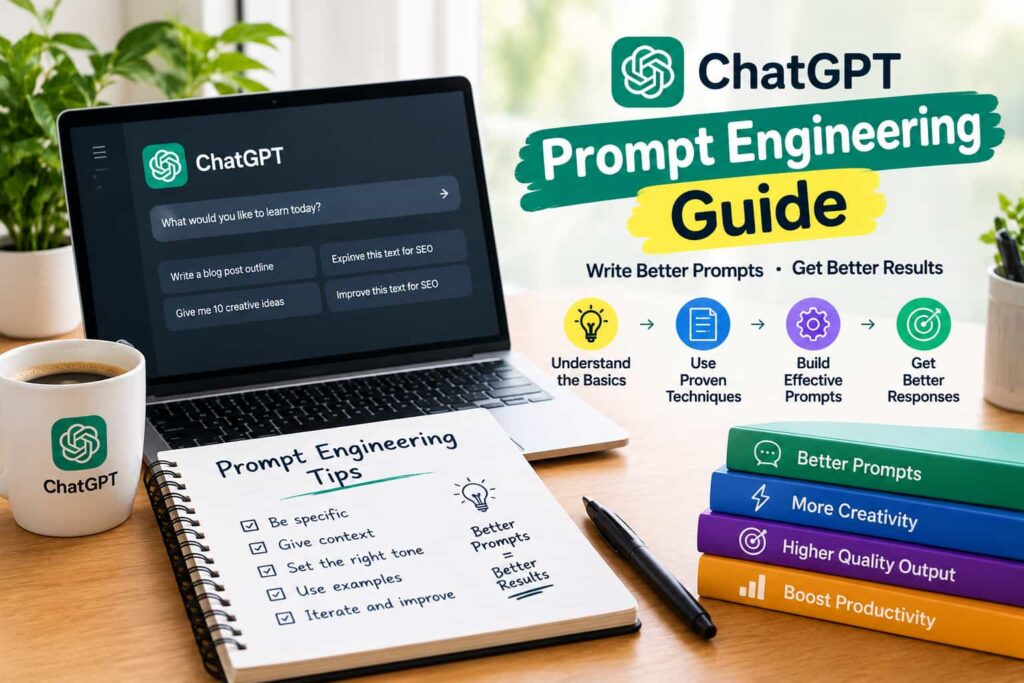
If you’re not sure where to start, this rough order works for most tasks:
- State the role you want ChatGPT to take on.
- Explain the task in plain language, one sentence if possible.
- Give any context it would otherwise have to guess.
- Specify the format and rough length you want back.
- Add constraints tone, things to avoid, audience.
- Review the output, then refine instead of starting over.
It feels a bit mechanical written out like this, but after a few tries it becomes second nature and you stop thinking about it as a “framework” at all.
Bottom line
Prompt engineering isn’t really engineering, and it definitely isn’t magic. It’s closer to learning how to explain what you want clearly, the same skill that makes someone good at briefing a designer or a freelancer. Get specific, give context, and don’t settle for the first answer. Run your finished prompts through your own editing checklist if the output is going into published content that final human pass is still what makes the difference.
FAQs
1. Do I need to be technical to learn prompt engineering? No, not at all. It’s more about clear communication than coding skill if you can explain a task well to a coworker, you can learn this.
2. Is prompt engineering still relevant with newer ChatGPT versions? Yes. Newer models are better at guessing intent, but specific, well-structured prompts still consistently outperform vague ones.
3. What’s the biggest beginner mistake in prompt engineering? Being too vague and expecting the model to fill in gaps the way a human colleague would. It usually just guesses instead.
4. Can I use these techniques for tasks other than writing? Definitely. The same principles role, context, format, constraints apply to coding help, research, planning, and data analysis too.
5. Should I save prompts that work well for reuse? Yes, it’s worth keeping a simple document of prompts that gave you good results, so you’re not rebuilding them from scratch every time.