Introduction
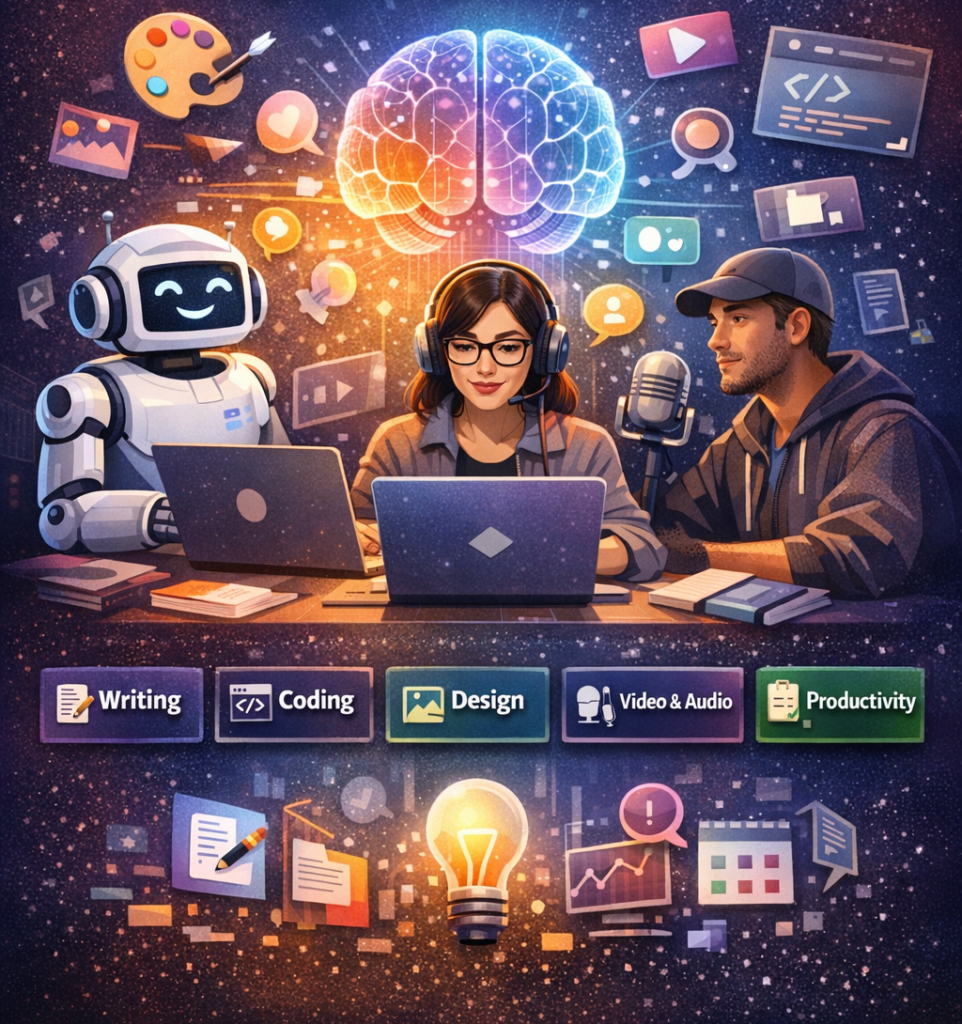
Artificial intelligence is changing how people work, learn, and create. From writing blog posts to editing videos and building software, today’s best AI tools can save hours of manual work while improving accuracy and creativity. The challenge isn’t finding an AI tool it’s choosing one that actually fits your needs.
This guide highlights 25 of the most useful AI tools available in 2026 across writing, design, coding, marketing, research, and productivity. You’ll discover what each tool does best, who should use it, and how it can improve your daily workflow. Whether you’re exploring AI for the first time or looking to upgrade your toolkit, these recommendations will help you make an informed choice.
Why AI Tools Matter in 2026
AI tools have become everyday productivity partners, helping individuals and businesses complete tasks faster, reduce repetitive work, and improve decision-making without requiring advanced technical skills.
AI is now integrated into nearly every industry. Writers use AI to draft content, designers generate visuals in minutes, developers speed up coding, and businesses automate customer support.
Key benefits include:
- Saving time on repetitive tasks
- Improving productivity
- Enhancing creativity
- Reducing operational costs
- Making better use of data
- Supporting faster decision-making
Instead of replacing human expertise, modern AI tools work best as assistants that help users focus on higher-value work.
How We Selected the Best AI Tools
The tools on this list were chosen based on usability, features, reliability, popularity, pricing, and their ability to solve real-world problems for beginners and professionals alike.
We considered several factors:
- Ease of use
- Quality of AI-generated output
- Regular feature updates
- Security and privacy reputation
- Free plan availability
- Integration with popular software
- Community adoption
- Overall value for money
25 Best AI Tools You Should Try in 2026
1. ChatGPT
Best for writing, brainstorming, coding, learning, and everyday productivity.
ChatGPT remains one of the most versatile AI assistants available. It helps users write articles, summarize documents, generate ideas, explain complex topics, write code, and automate repetitive tasks.
Best Features
- Natural conversations
- Document analysis
- Coding assistance
- Research support
- Custom GPTs
Best For
- Students
- Writers
- Businesses
- Developers
- Researchers
2. Claude
Best for long documents and thoughtful writing.
Claude excels at handling lengthy documents while maintaining context. It’s widely used for research, editing, business writing, and document analysis.
Highlights include:
- Excellent reasoning
- Large context window
- Accurate summaries
- Professional writing style
3. Google Gemini
Best for Google Workspace users.
Gemini integrates with Google Docs, Gmail, Sheets, and Drive, making it useful for professionals already working within Google’s ecosystem.
Popular uses:
- Email drafting
- Spreadsheet analysis
- Meeting summaries
- Document creation
4. Microsoft Copilot
Best for Microsoft Office productivity.
Copilot brings AI directly into Word, Excel, PowerPoint, Outlook, and Teams, helping professionals automate common office tasks.
Key benefits:
- Excel formula assistance
- Presentation creation
- Document drafting
- Meeting recap generation
5. Perplexity AI
Best for AI-powered research.
Perplexity combines conversational AI with real-time web information, making it useful for research and fact-finding.
Advantages include:
- Source citations
- Fast answers
- Research summaries
- Follow-up questions
6. Midjourney
Best for artistic AI image generation.
Midjourney creates highly detailed digital artwork from text prompts and is popular among designers, marketers, and creators.
Ideal for:
- Concept art
- Marketing graphics
- Book covers
- Product mockups
7. Adobe Firefly
Best for commercial design projects.
Firefly integrates with Adobe Creative Cloud, allowing creators to generate images and edit content using AI-powered features.
Popular features:
- Generative Fill
- Text effects
- Background replacement
- Commercial-friendly content
8. Canva AI
Best for beginners creating graphics.
Canva AI simplifies graphic design by generating presentations, social media posts, marketing materials, and brand assets with minimal effort.
Useful for:
- Social media
- Posters
- Infographics
- Business presentations
9. GitHub Copilot
Best for software developers.
GitHub Copilot suggests code, explains functions, and helps developers write software faster while reducing repetitive coding tasks.
Developers use it for:
- Code completion
- Bug fixes
- Documentation
- Learning new languages
10. Cursor
Best AI-powered code editor.
Cursor combines a modern code editor with advanced AI capabilities, making software development faster and more collaborative.
Standout features include:
- Codebase understanding
- AI debugging
- Refactoring
- Intelligent autocomplete
11. Notion AI
Best for note-taking and knowledge management.
Notion AI helps users summarize notes, organize projects, generate meeting minutes, and manage personal knowledge efficiently.
Great for:
- Project planning
- Team collaboration
- Documentation
- Task organization
12. Grammarly
Best for improving writing quality.
Grammarly goes beyond grammar correction by helping users improve clarity, tone, readability, and overall writing effectiveness.
Key capabilities:
- Grammar checking
- Tone suggestions
- Rewrite assistance
- Plagiarism detection (selected plans)
13. ElevenLabs
Best for realistic AI voice generation.
ElevenLabs creates natural-sounding voiceovers for podcasts, videos, audiobooks, and business presentations with impressive voice quality.
Common use cases:
- Audiobooks
- YouTube narration
- Marketing videos
- E-learning
14. Runway
Best for AI video editing.
Runway helps creators edit videos using AI-powered tools such as object removal, background editing, text-to-video, and motion tracking.
Popular among:
- Video creators
- Agencies
- Content marketers
- Filmmakers
15. Otter.ai
Best for meeting transcription.
Otter.ai automatically records, transcribes, and summarizes meetings, making collaboration easier for remote teams and professionals.
Top features:
- Live transcription
- Meeting summaries
- Speaker identification
- Searchable notes
16. Jasper
Best for AI-powered marketing content.
Jasper is built for businesses and marketers who need high-quality content at scale. It supports blog writing, email campaigns, social media posts, and ad copy while maintaining a consistent brand voice.
Best Features
- Brand voice customization
- Marketing templates
- Team collaboration
- SEO-friendly content generation
17. Synthesia
Best for AI avatar videos.
Synthesia enables users to create professional videos using AI avatars without cameras or studios. It’s widely used for training, onboarding, and product demonstrations.
Ideal For
- Corporate training
- Educational videos
- Product explainers
- Internal communications
18. Descript
Best for podcast and video editing.
Descript makes editing audio and video as easy as editing text. It also includes AI voice cloning, transcription, and screen recording features.
Highlights
- Text-based editing
- Automatic transcription
- AI voice enhancement
- Screen recording
19. Zapier AI
Best for workflow automation.
Zapier AI connects thousands of apps and automates repetitive tasks with minimal setup. It helps businesses reduce manual work and improve efficiency.
Popular Automations
- Lead management
- Email workflows
- CRM updates
- Task automation
20. Gamma
Best for AI presentations.
Gamma creates visually appealing presentations, documents, and webpages from simple prompts, making it a great option for professionals and students.
Key Benefits
- Instant slide generation
- Modern templates
- Easy editing
- Interactive layouts
21. Leonardo AI
Best for game assets and digital illustrations.
Leonardo AI specializes in creating detailed artwork, concept designs, textures, and illustrations. It is especially popular among game developers and creative professionals.
Best Uses
- Character design
- Concept art
- Marketing visuals
- Game development
22. NotebookLM
Best for document-based research.
NotebookLM helps users organize information from uploaded documents, summarize key points, and answer questions using their own sources.
Why It Stands Out
- Source-grounded answers
- Research summaries
- Study assistance
- Knowledge organization
23. DeepL
Best for AI translation.
DeepL delivers accurate translations with natural phrasing across multiple languages. It is widely trusted by professionals and businesses.
Great For
- Business communication
- Website localization
- Academic work
- International collaboration
24. HeyGen
Best for AI video localization.
HeyGen simplifies multilingual video creation with AI avatars, voice cloning, and automatic translation, helping businesses reach global audiences.
Top Features
- AI avatars
- Voice translation
- Lip-sync technology
- Marketing videos
25. Reclaim AI
Best for smart scheduling.
Reclaim AI automatically organizes calendars, schedules focus time, and balances meetings with personal priorities to improve productivity.
Useful For
- Time blocking
- Team scheduling
- Habit planning
- Calendar optimization
Best AI Tools Comparison Table
| Tool | Best For | Free Plan | Ideal Users |
|---|---|---|---|
| ChatGPT | Writing & productivity | Yes | Everyone |
| Claude | Long-form writing | Yes | Researchers |
| Gemini | Google Workspace | Yes | Professionals |
| Microsoft Copilot | Microsoft 365 | Limited | Office users |
| Perplexity AI | Research | Yes | Students |
| Midjourney | AI art | No | Designers |
| Canva AI | Graphic design | Yes | Beginners |
| GitHub Copilot | Coding | Trial | Developers |
| Grammarly | Writing improvement | Yes | Writers |
| Runway | Video editing | Yes | Creators |
| Zapier AI | Automation | Yes | Businesses |
| Gamma | Presentations | Yes | Students & Teams |
Common Mistakes When Choosing AI Tools

Many users subscribe to multiple AI platforms without evaluating their actual needs. Avoid these common mistakes:
- Choosing tools based only on popularity
- Ignoring privacy and security policies
- Paying for premium plans before testing free versions
- Expecting AI to replace human judgment
- Overlooking integrations with existing software
- Not verifying AI-generated information
Important: Always review AI-generated content for accuracy, especially when publishing professional, financial, legal, or educational material.
Pro Tips for Getting Better Results from AI Tools
- Write clear and specific prompts.
- Break complex tasks into smaller requests.
- Experiment with different tools for different workflows.
- Save successful prompts for future use.
- Combine AI with your own expertise instead of relying on automation alone.
- Keep sensitive or confidential information out of public AI tools unless you understand their privacy policies.
- Stay updated, as AI platforms frequently release new features and improvements.
Frequently Asked Questions
1. What are the best AI tools in 2026?
Some of the top choices include ChatGPT, Claude, Google Gemini, Microsoft Copilot, Perplexity AI, Midjourney, Canva AI, GitHub Copilot, Runway, and Jasper.
2. Are AI tools free to use?
Many AI tools offer free plans with limited features. Paid subscriptions usually unlock higher usage limits, advanced models, and additional collaboration features.
3. Which AI tool is best for writing?
ChatGPT, Claude, Jasper, Grammarly, and Notion AI are among the strongest options for content creation, editing, and brainstorming.
4. Which AI tool is best for developers?
GitHub Copilot and Cursor are excellent choices for code completion, debugging, documentation, and software development.
5. Can AI tools improve productivity?
Yes. AI can automate repetitive tasks, summarize information, assist with research, and streamline workflows, allowing users to focus on higher-value work.
6. Are AI-generated results always accurate?
No. AI systems can make mistakes or generate outdated information. Always verify important facts using reliable and authoritative sources.
7. Which AI tool is best for creating images?
Midjourney, Adobe Firefly, Leonardo AI, and Canva AI are popular options for generating artwork, marketing visuals, and creative designs.
8. How do I choose the right AI tool?
Start by identifying your primary goal, such as writing, coding, design, research, or automation. Compare features, pricing, integrations, and ease of use before making a decision.
Conclusion
AI tools continue to evolve, offering practical ways to simplify everyday tasks, improve creativity, and increase productivity. The best choice depends on your goals, budget, and preferred workflow. Instead of using every available platform, focus on a few tools that solve your biggest challenges and integrate well with the software you already use.
As new features and models continue to emerge, regularly reviewing your AI toolkit can help you stay efficient and competitive. Explore a few of the tools from this list, test their free plans, and discover which ones deliver the most value for your personal or professional projects.