Somewhere around the third time I opened my inbox in one day and just stared at 40 unread emails without touching a single one, I gave up pretending I’d “get to it later.” That’s not really a discipline problem, it’s a volume problem. Most people get too many emails to give each one the attention it technically deserves, and a lot of what’s actually valuable a real lead, an important follow-up quietly gets buried under stuff that didn’t need to exist in the first place.
That’s the gap an AI email automation tool is built to close, whether it’s your personal inbox drowning in messages or a marketing team trying to run five campaigns without five extra people.
What an AI Email Automation Tool Actually Is
There isn’t just one type. The term covers two fairly different jobs that both use the same underlying idea. On one side, there’s inbox automation tools that triage, prioritize, and draft replies so your personal or team inbox doesn’t run your day. On the other, there’s email marketing automation tools that handle campaigns, segmentation, send timing, and follow-ups at a scale no human could realistically manage by hand.
Both sides do the same basic thing at their core: they use AI to understand a message or a recipient well enough to act on it without someone doing that thinking manually every single time.
How It Actually Works
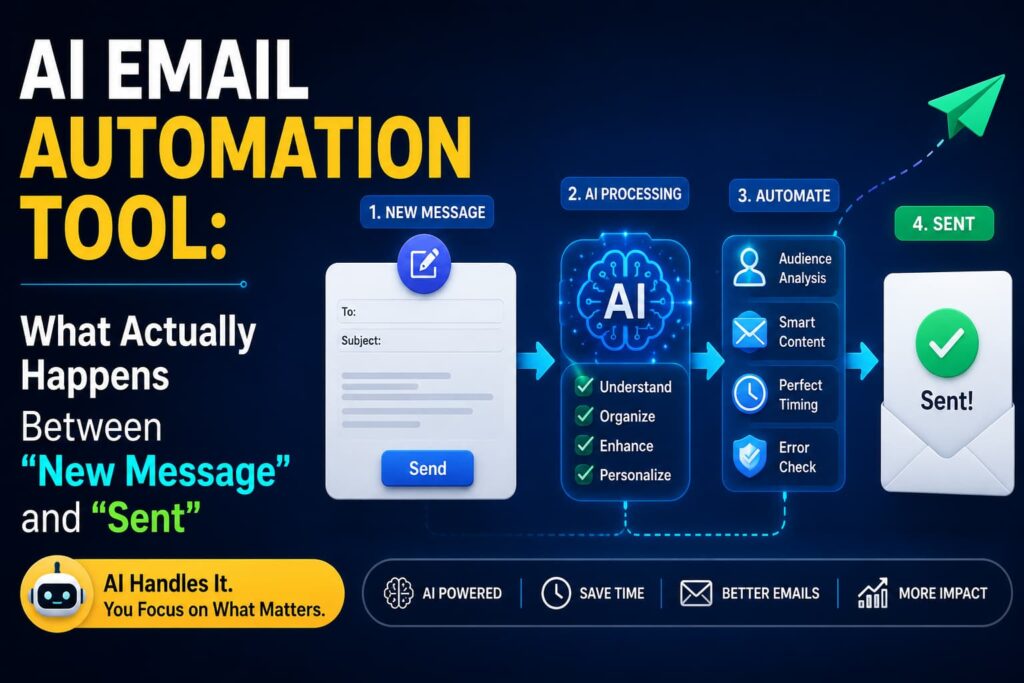
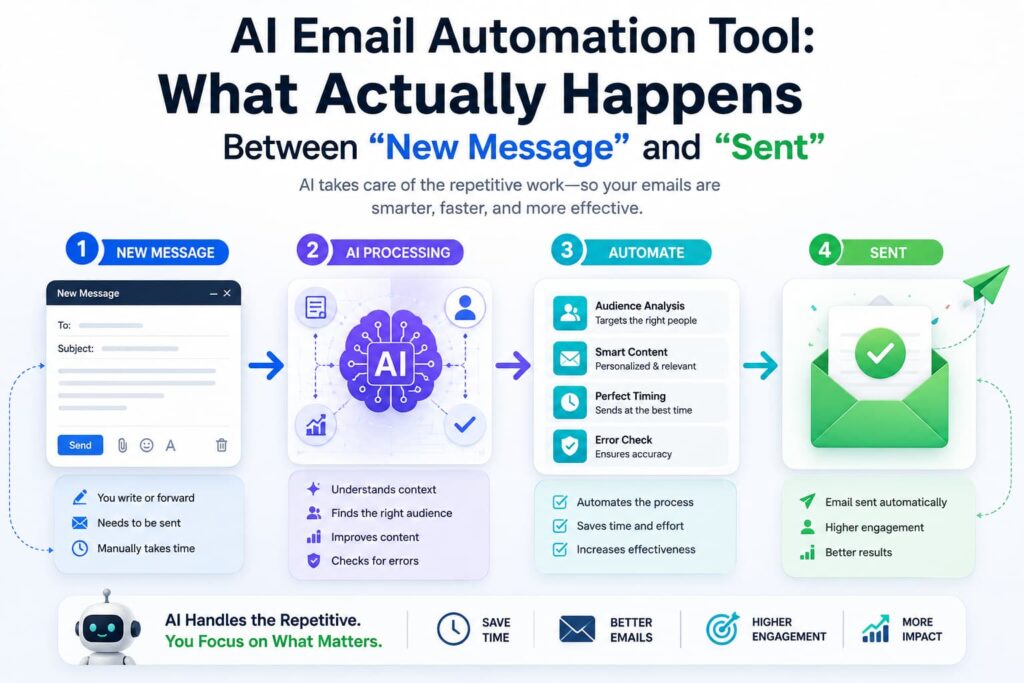
For inbox-focused tools, it usually starts with reading the message properly. Instead of matching keywords like older filters used to, modern tools understand the actual content, tone, and urgency of an email before deciding what to do with it. A vague “just checking in” from a coworker gets treated differently than a client saying they need an answer today, even though both might land in the same folder under old-school rules.
From there, triage happens sorting, labeling, and prioritizing so you’re not scrolling past forty things to find the two that actually matter. Some tools go further and draft a reply based on the context of the conversation and your own past writing style, so what lands in your drafts folder actually sounds like you instead of a generic template.
The more advanced ones connect email to everything downstream of it. If a message contains a meeting request, it gets scheduled directly. If it references a task, that task gets created automatically somewhere else. The point isn’t just reading the email faster it’s cutting out the extra steps that used to happen after you read it.
Marketing-focused tools work a little differently. Instead of reacting to incoming messages, they’re built around sending the right message to the right person at the right time. That means predicting when each individual recipient is most likely to open an email, generating audience segments from a plain description instead of manual filtering, and running multiple subject lines or content versions at once, shifting more traffic toward whichever one actually performs.
What’s Actually Running Under the Hood
Part What it’s doing
Content understanding Reads tone, intent, and urgency in a message
Inbox triage Sorts, labels, and prioritizes incoming emails
Reply drafting Generates responses based on context and writing style
Workflow automation Turns emails into calendar events, tasks, or CRM updates
Send-time optimization Predicts the best time to email each recipient
Segmentation Builds audience groups from plain-language descriptions
Performance-based routing Shifts sends toward better-performing content automatically
Inbox Automation vs. Marketing Automation
Inbox Automation Marketing Automation
Main goal Manage incoming email volume Send effective outbound campaigns
Typical user Individuals, small teams Marketing and growth teams
Core AI job Understand and respond to messages Personalize and optimize sends
Common output Sorted inbox, drafted replies Segmented campaigns, higher engagement
Why This Category Grew So Fast
A big part of it is just cost. Processing a single email with AI now costs a tiny fraction of what it used to, which made automating this at scale economically realistic in a way it wasn’t a few years back. The other part is integration these tools stopped living as a separate app you had to check and started working directly inside Gmail and Outlook, meaning people didn’t have to change how they worked just to get the benefit.
On the marketing side, the growth is more about scale than convenience. A small team running AI-assisted segmentation and optimization can realistically manage a volume and sophistication of campaigns that used to require a much bigger team, without burning out doing manual A/B tests on every subject line.
Where to Actually Start
The mistake most people make is trying to automate everything at once. It works better to pick the one real problem an overflowing inbox, inconsistent follow-ups, campaigns that never get properly tested and start there with one tool, measure whether it’s actually helping, then expand. Vague instructions tend to produce vague results here too, so the more specific you are about what a workflow should do, the better these tools tend to perform.
If email is just one piece of a bigger coordination problem for your team, it’s worth looking at how a broader AI productivity tool stack fits around it, since inbox chaos rarely exists on its own.
The Bottom Line
An AI email automation tool isn’t about replacing your judgment on what matters it’s about removing the manual grunt work standing between a message arriving and something actually happening about it. Whether that’s a cleaner personal inbox or a marketing campaign that adjusts itself based on real engagement, the goal is the same: less time spent processing email, more time spent on what the email was actually about.
FAQs
What’s the difference between AI email automation and a regular spam filter? A spam filter mostly blocks unwanted mail using fixed rules. AI email automation actively understands, sorts, drafts, and sometimes acts on messages, going far beyond just filtering what shouldn’t reach your inbox.
Can an AI email tool actually write replies for me? Yes, many tools can draft replies based on the context of the conversation and your past writing style, which you can then review and send rather than writing from scratch.
Is AI email automation only useful for marketing teams? No. Inbox-focused tools help individuals and small teams manage day-to-day email volume, while marketing-focused tools handle campaigns and segmentation at scale they solve different problems for different users.
Does AI email automation work inside Gmail and Outlook, or do I need a separate app? Most modern tools integrate directly into Gmail or Outlook, so you don’t have to switch to a separate inbox or change your existing workflow to use them.
Will automating my email make my replies feel less personal? Not if it’s set up well. Good tools draft based on your actual writing style and real context from the conversation, rather than sending generic, templated responses.
Further reading:
Qualtir – AI Email Automation in 2026: Trends, Statistics, and What to Expect
Read.ai – The 7 Best AI Email Tools in 2026
Gmelius – 10 Best AI Email Automation Software Compared